
Travel info
How to Pay in Japan — Apps, Cards and Cash
This guide contains affiliate links. If you book through them we earn a small commission, at no extra cost to you. Affiliate Disclosure
Japan is a country where you can pay for the metro with a watch, then walk twenty metres and find that the tea house takes banknotes only. That gap confuses almost every visitor, and it is why payment is worth sorting out before you fly rather than in the queue at the till.
This guide covers the mechanics of paying — what works, where, and how to set it up. For daily budgets, exchange rates and what a trip costs, see the money guide.
The short answer
Install Suica in your iPhone Wallet before you fly, carry one Mastercard or Amex alongside your Visa, and withdraw ¥20,000 at a 7-Eleven ATM when you land. Those three cover almost every situation in Japan.
Suica on your phone — do this first
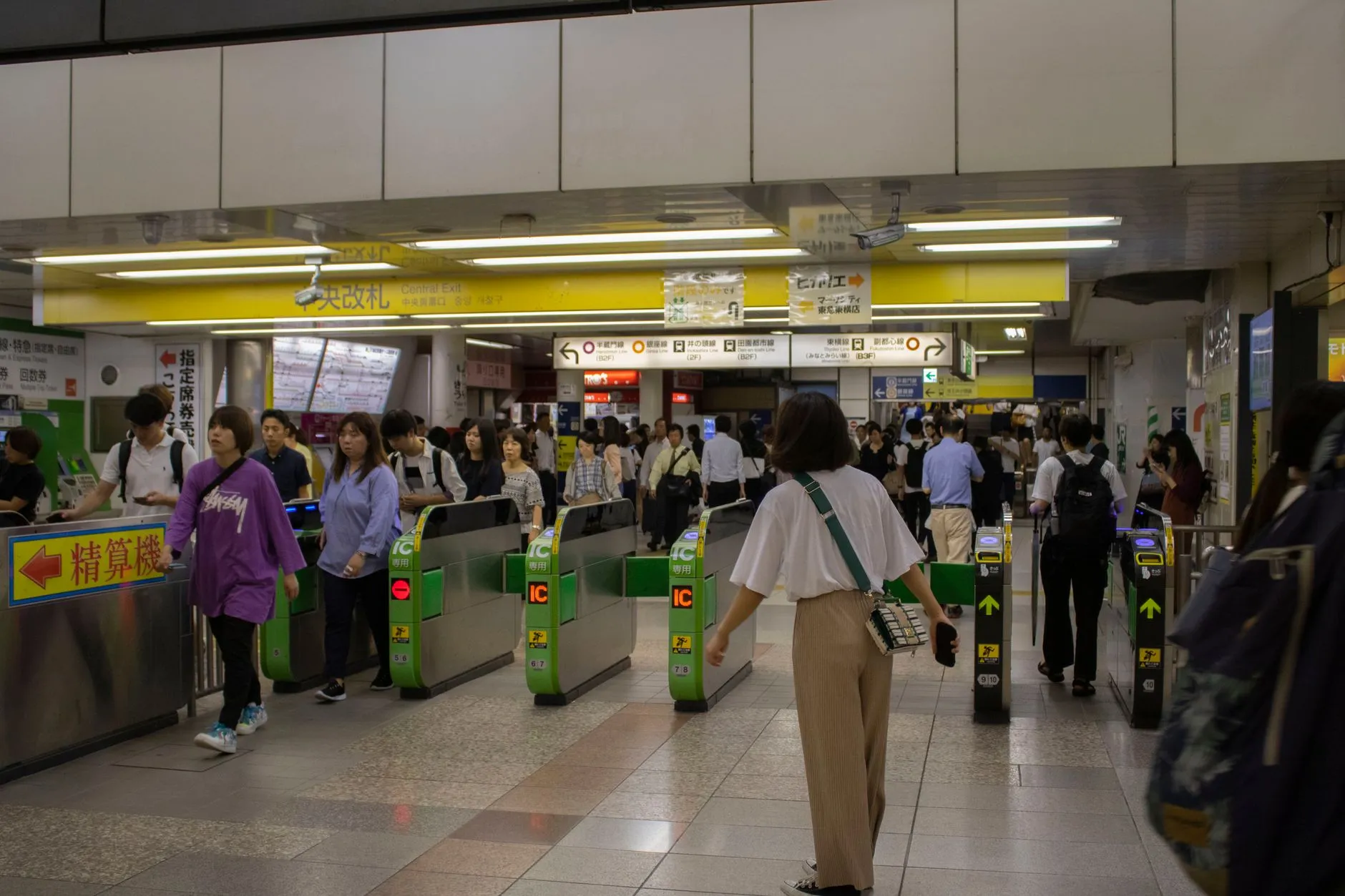
Suica is a stored-value card used for both trains and small purchases. The digital version installs straight onto an iPhone: Wallet → Add card → Transit card → Japan → Suica. No Japanese region setting and no Japanese app required.
The one failure point: topping up needs a credit card that Apple Pay accepts, and a lot of foreign Visa cards are refused at exactly that step. Mastercard and American Express generally go through. If the top-up fails, you can load the card with cash at any station machine.
Android is a different story: Suica requires a FeliCa chip, which is present almost exclusively on handsets sold in Japan. A phone bought abroad cannot add it — take a physical card instead.
Suica cards for visitorsThe physical card — and what Welcome Suica is
If you do not have an iPhone, buy a card at a station. There is a version made for visitors — Welcome Suica — with no deposit and 28 days of validity, sold at the airports and major stations.
Worth knowing: sales of standard Suica and Pasmo cards have been suspended at times in recent years because of a chip shortage. The visitor version stayed available throughout. Full detail in the Suica and Pasmo guide.
PayPay and the QR apps — why they are not for you
Every shop in Japan displays signs for PayPay, LINE Pay and Rakuten Pay. These QR apps are hugely popular — among residents. Registration requires a Japanese phone number, and often a Japanese bank account too.
This is where a lot of visitors waste time: there is nothing to install and nothing to arrange. A tourist pays with Suica, a card, or cash.
Where credit cards work — and where they do not
Visa and Mastercard are accepted at most hotels, chains, department stores and larger restaurants in cities. JCB is accepted everywhere in Japan. American Express is less common but works at chains.
Not accepted: small restaurants, food stalls, temple and garden ticket windows, traditional markets, and a good share of businesses outside the major cities. Rural buses often take cash only as well.
Check your card’s foreign transaction fee before you travel. Three per cent across a whole trip is a noticeable sum.
Contactless and smartwatches
Contactless payment is expanding in the big cities, but it is not yet the standard. Apple Pay works well at convenience stores and chains — especially with a loaded Suica, which is in practice the smoothest way a visitor can pay anywhere in Japan.
With Suica on a smartwatch you can pass a train gate and pay at a till without taking your phone out at all. It is a small thing that improves the day more than it sounds.
Note that installing Suica and topping it up on the move both need a data connection — arrange an eSIM plan for Japan before you fly.
Cash withdrawals — which ATMs take foreign cards
Not every Japanese ATM will accept your card. Three reliably do:
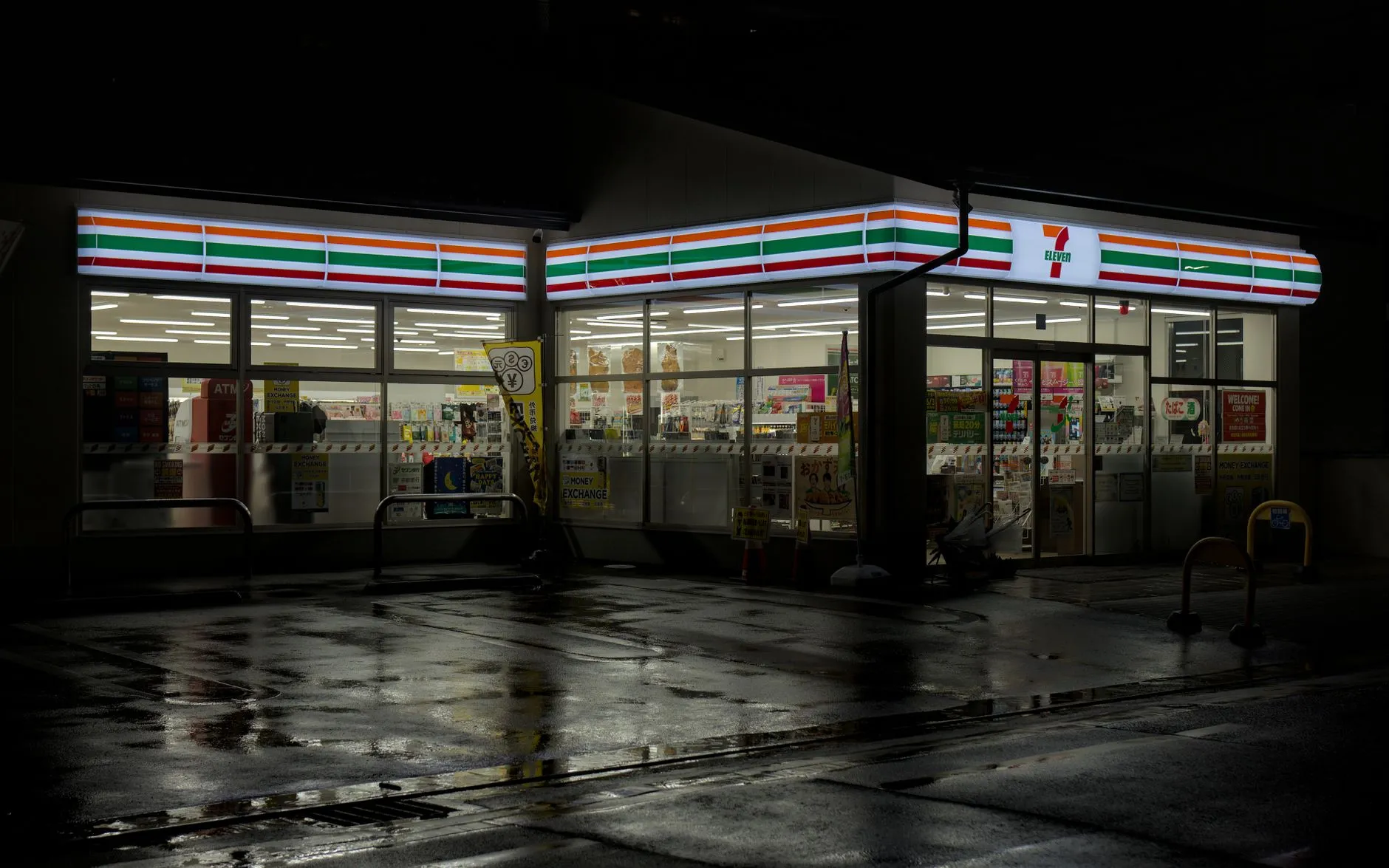
7-Eleven (Seven Bank) — in every store, 24/7, English interface. Japan Post Bank — in every post office. Family Mart (E-net) — less widespread but functional.
Local bank ATMs will usually reject a foreign card. Withdraw larger amounts less often to reduce fixed withdrawal fees.
Tax-free shopping — 10% back when you leave
Since 1 November 2026 the at-the-till exemption has been replaced by a refund system. At shops with a Tax-Free sign you pay the full price including the 10% consumption tax and show your passport; the tax is refunded at customs when you leave Japan, before check-in. Most sources say the ¥5,000 (≈ $33) per-shop minimum stays — confirm at the till.
Keep the receipts and the goods with you; you have up to 90 days to take them out of the country, and consumables opened and used in Japan no longer qualify. It is worth most on electronics, cosmetics and souvenirs, and if you expect a refund, get to the airport earlier than usual.
Three common payment mistakes
Arriving with no cash. The airport ATM is the first stop, not an optional one.
Relying on Visa alone. If your Suica top-up is refused and you have no alternative card, you will be standing in a station queue.
Hunting for “the Japanese app”. There isn’t one for visitors. Suica, a card and cash is the whole story.
From here: read the money and budget guide for trip costs, the Suica and Pasmo guide for the card in full, or the eSIM guide — because without data, some of these methods will not work.
Frequently asked questions
Which payment app should I install for Japan?
There is no Japanese app you need to install. What works for a visitor is Suica in the iPhone Wallet — it covers trains, convenience stores and vending machines.
Does PayPay work for tourists?
Usually not. Registration requires a Japanese phone number, so it is an app for residents. Do not build your trip around it.
How much cash should I carry?
¥10,000–20,000 (≈ $67–133). Small restaurants, temples and markets still take cash only.
Can I add Suica to an Android phone?
Only on Android handsets with a FeliCa chip, which are sold almost exclusively in Japan. With a phone bought elsewhere, get a physical Suica card.
Related guides
Money, Cash and Cards in Japan — Complete Guide
Money guide for Japan: cash vs. card, IC cards (Suica), where to use ATMs, currency exchange, tourist tax refund, daily budget tips, and common mistakes to avoid.
Suica and Pasmo — The Complete Guide to Japan's IC Cards
Suica and Pasmo IC cards: how they work, the difference between them, the digital version, how to top up and use them, and tips for travellers in Tokyo and Japan.

eSIM and Internet in Japan — Complete Guide for Visitors 2026
Internet guide for Japan: eSIM, physical SIM, pocket wifi, and public Wi-Fi. How much data you need, top providers, how to install an eSIM, and connection tips.